

Charming Seal·Features
Everything that ships. And everything that doesn't.
The inventory, in the order a shop needs it, so you can tell whether it covers yours. The gaps are written down near the bottom rather than left for you to find later.
One · Taking money
The part that has to work.
Payment runs on your own keys, in your own deployment. Nothing sits in the middle holding the funds on their way to you.
Six ways to pay
Card, Link, Klarna, Afterpay, PayPal and crypto on one page. Turn on the ones your buyers actually reach for and leave the others off.
Weekly through yearly
Recurring plans from weekly through to yearly, billed by Stripe against your account rather than someone else's.
Invoices with a PDF
Raise an invoice and send it, with a PDF for the buyer whose finance department will not release money without paperwork.
Two · Selling more
The levers, already wired in.
These are the pieces most sellers bolt on afterwards with a second subscription. Every total behind them is recomputed on the server, so a buyer cannot rewrite what they are charged.
Discount codes
Codes entered at checkout and priced server-side.
Order bumps
A second offer on the checkout page itself.
One-click upsells
An offer after the first charge, taken in one click.
Affiliate tracking
An order attributed to whoever sent the buyer.
Abandoned carts
Recovery mail sent through your own sender.
Three · The shop itself
One catalogue, two front doors.
The products behind your checkout links are the products in your storefront. You keep one list, not two that drift apart.
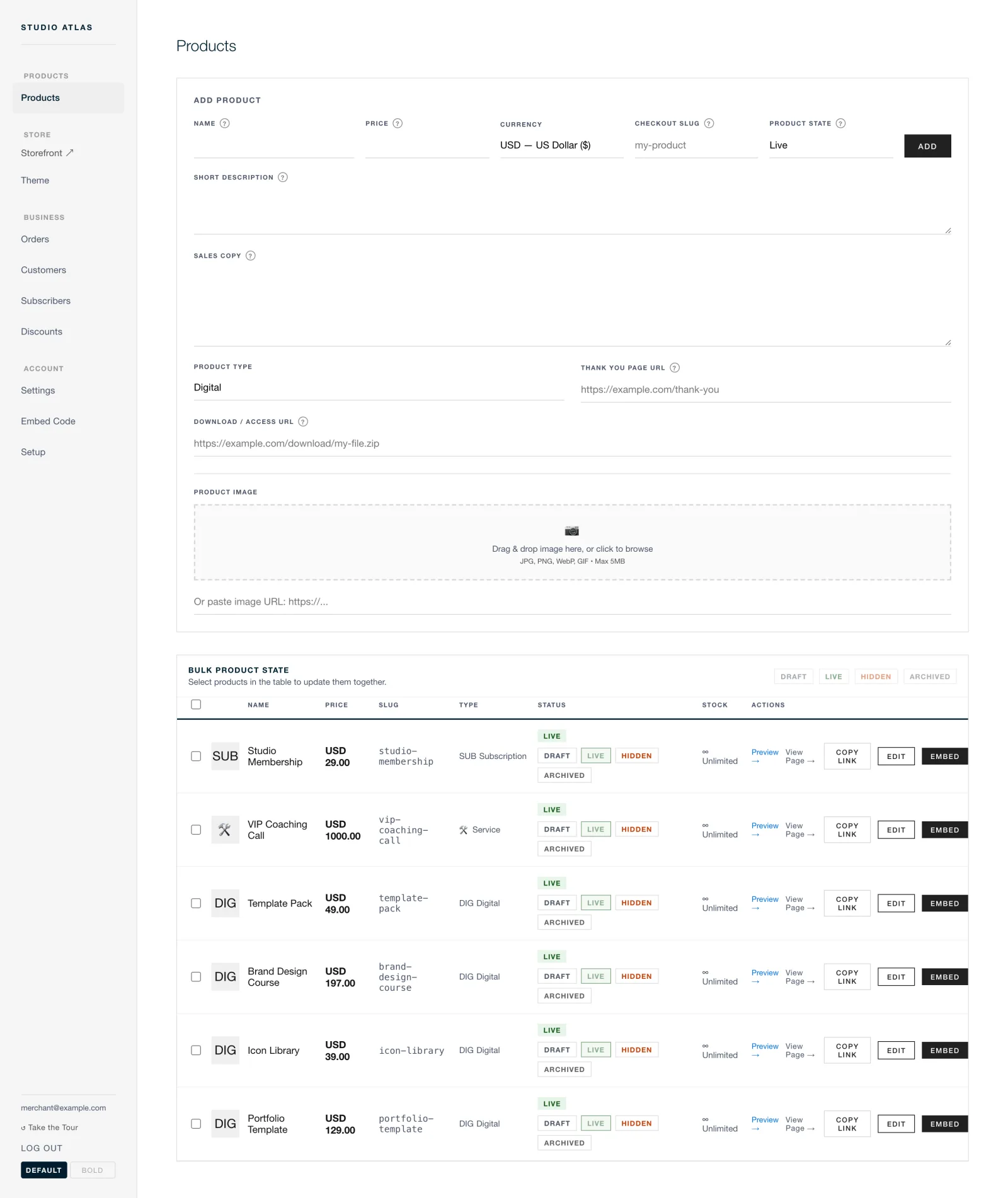
PLATE I · CATALOGUE
Four states, one list
A product is draft, live, hidden or archived. Only live and active products appear in the public catalogue and in what an agent can read, so a launch can be staged without taking the shop down.
Products, collections, a cart
A hosted shop on your own subdomain, with collections to group the catalogue and a cart for the buyer taking more than one thing.
Eleven presets, then yours
Typeface from Google Fonts, colour tokens, button radius, input and payment-method styles. Start from one of 11 presets and watch a live preview of the page buyers land on.
Your domain, or your site
Point a custom domain at the shop, or take the embed snippet and drop checkout into the site you already have.
Four · Knowing what happened
Which link made money.
The numbers sit next to the orders they came from, and both belong to you, in a database you hold.
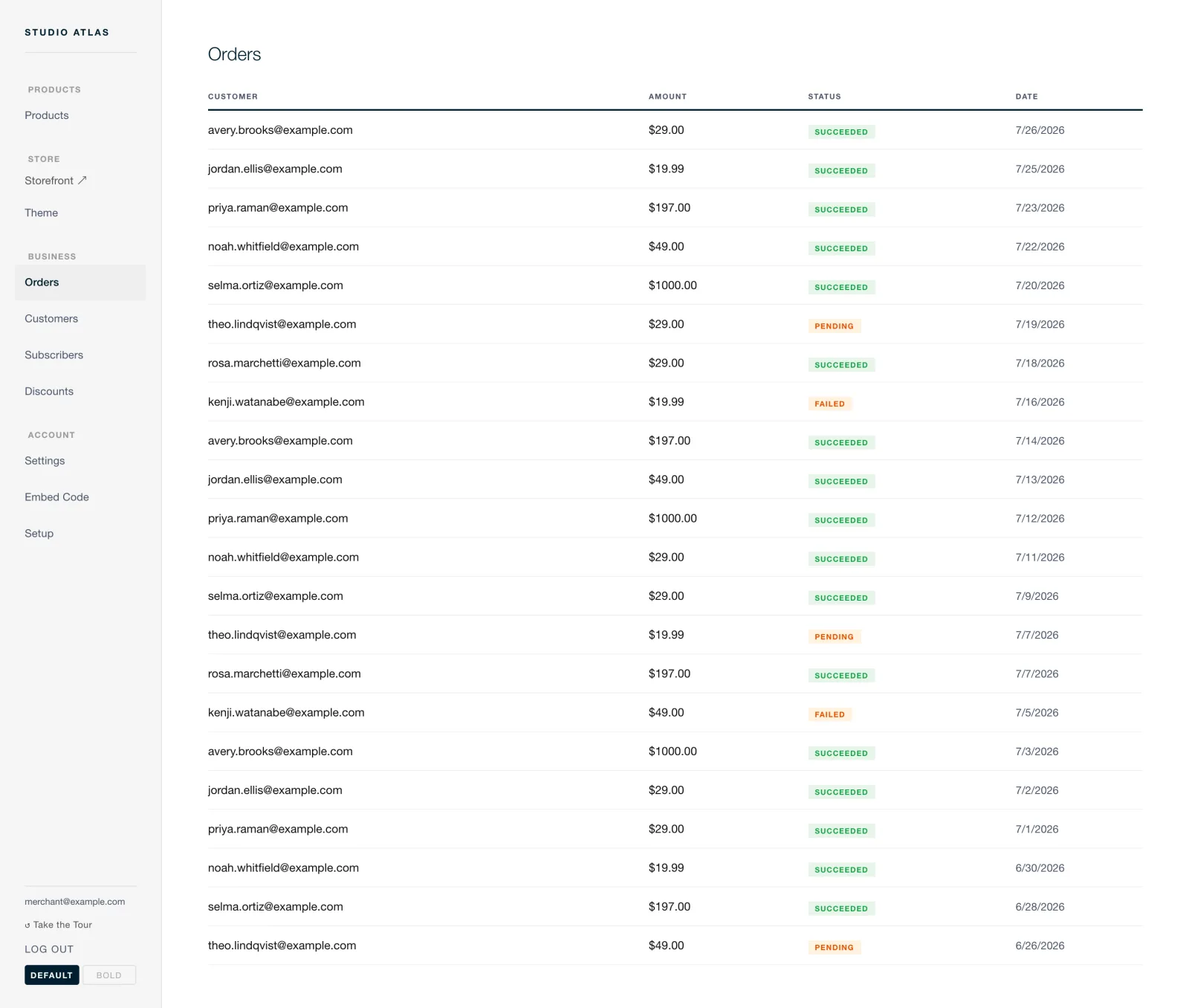
PLATE II · ORDERS
The ledger of the day
Every order with its status and its buyer. Filter to the one you are being asked about, refund it on the spot, and take the rest out as CSV whenever you like.
Revenue
What sold, and what it brought in.
Conversion
The share of visits that ended in an order.
Checkout funnel
Where in the checkout people stop.
UTM attribution
An order traced back to the campaign that carried it.
CSV export
The whole record, out of the building, in one file.
Refunds
Issued per order, against your own Stripe account.
Five · For developers and agents
A shop with a handle on it.
A Next.js application, Prisma over PostgreSQL, running on Node 20 or 22. The catalogue, the orders and the settings are all reachable over HTTP with a key you issue yourself.
GET /api/v1/products | List the catalogue |
POST /api/v1/products | Create one, with a price in dollars |
PATCH /api/v1/products/:productId | Change price, name, description or state |
DELETE /api/v1/products/:productId | Soft delete, which sets active=false |
GET /api/v1/orders | Recent orders, up to 100, filterable by status |
GET /api/v1/settings | Read the shop's configuration |
PATCH /api/v1/settings | Change business name, theme and the rest |
POST /api/mcp | The hosted MCP endpoint, on the same key |
Issued once, held as a hash
Make a key in the shop's own Settings, under API Keys. It is shown once. Send it as Authorization: Bearer csk_live_YOUR_KEY. Every price comes back twice, as a dollar string and as integer cents, so nobody has to guess at rounding.
Eight MCP tools
An MCP server ships with it, so Claude, Cursor or any MCP client can work the shop rather than describe it. Run it locally with npx -y charming-seal-mcp or point at the hosted endpoint. The MCP guide has the client setup.
Several shops, one deployment
The admin is multi-tenant, which matters most to agencies. A key reaches its own shop's products and nothing else. That is tested rather than assumed, because for a while it was not true.
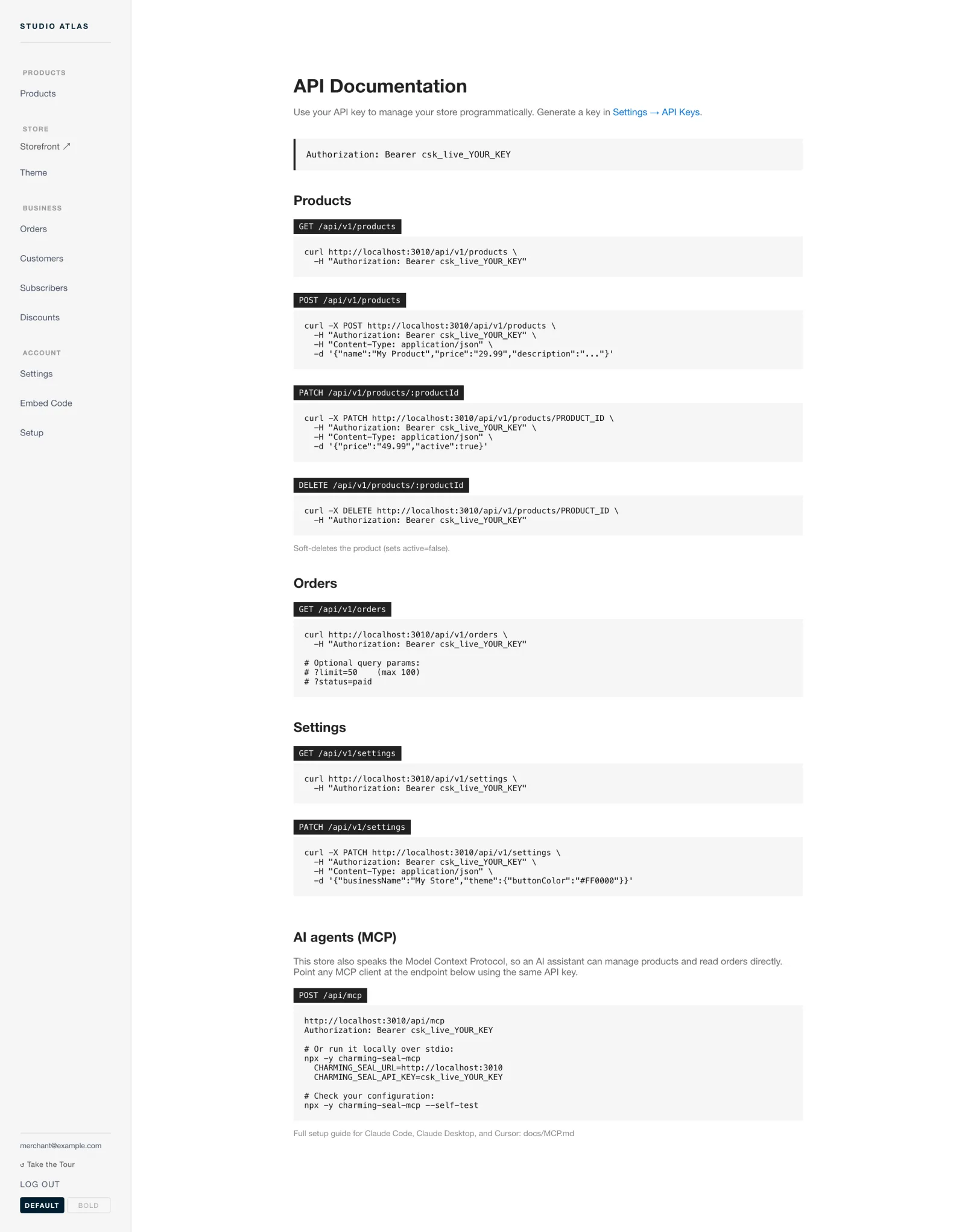
PLATE III · REFERENCE
Written down, route by route
Parameters, an example body and an example response for each route, so an integration can be written without reading the source. The source is there if you would rather.
Six · The gaps
What it does not do.
Four things people ask for that are not in here. Better read now than discovered after you have moved your catalogue across.
| Tax | There is no tax calculation engine. Nothing works out what a buyer in another jurisdiction owes, and nothing files anything on your behalf. |
| Marketplaces | No multi-vendor payouts. One shop pays out to one account. It will not split a sale between several sellers. |
| Email marketing | Abandoned cart recovery mail is the whole of it. No campaign builder, no list management, no broadcasts. |
| Support | There is no support desk to ring. You have the source, the issue tracker and your own morning. That is the trade for keeping the fees and the data. |
The whole inventory
All of it, for nothing.
Nothing above sits behind a tier. There is no tier. What you do pay is Stripe's ordinary processing fee, a host and a database, and the last two can be free.