

Charming Seal·How it works
You install it yourself. Here is what that involves.
Charming Seal is a Next.js application that runs on your hosting, against your database, under your keys. This page is the shape of the setup and the work it hands you afterwards. The commands stay in the repository, where they are kept correct.
Before you begin
What it needs to run at all.
It needs somewhere to keep the shop, an account with whoever moves the money, and somewhere to run. Open those first and the rest is configuration.
A PostgreSQL database. Supabase and Neon both have a free tier. You need the connection string and nothing else from either of them.
A payment account. Card and Link, Klarna, Afterpay, PayPal and crypto are all supported. Open accounts for the ones you intend to accept.
Somewhere to run Node. Vercel's free tier is the shortest route. It is an ordinary Next.js project, so any host that runs Node 20 or 22 will serve.
You also need git, Node 20 or 22, and a terminal.
The procedure
Six steps, in the order you do them.
The repository carries the current commands and the full list of environment values. This is the shape of them, so you know what you are agreeing to before you start.
Clone it and install
The source and its dependencies, from the public repository.
Fill in the environment
Your database connection string, your payment keys, and the secret that encrypts them at rest.
Create the tables
One Prisma command, run once, against an empty database.
Run it locally
The whole admin on your own machine, before anything is public.
Deploy it
Your own copy of the repository, imported at your host, with the same values pasted into its environment settings.
Take a test order
A product, a checkout and a payment, so the whole path is walked before a customer walks it.
# the source and its dependencies
git clone https://github.com/princezoho/charming-seal
cd charming-seal
npm install
From there, follow the setup instructions in the repository. They are revised when the application is. A copy of them pasted onto a marketing page is not.
Back up the encryption key before you go further. It encrypts your payment credentials at rest with AES-256-GCM. Lose it and what it protected is unreadable. There is no reset link and nobody else holds a copy, which is the arrangement you signed up for. Put it in a password manager now, while you are thinking about it.
The first sale
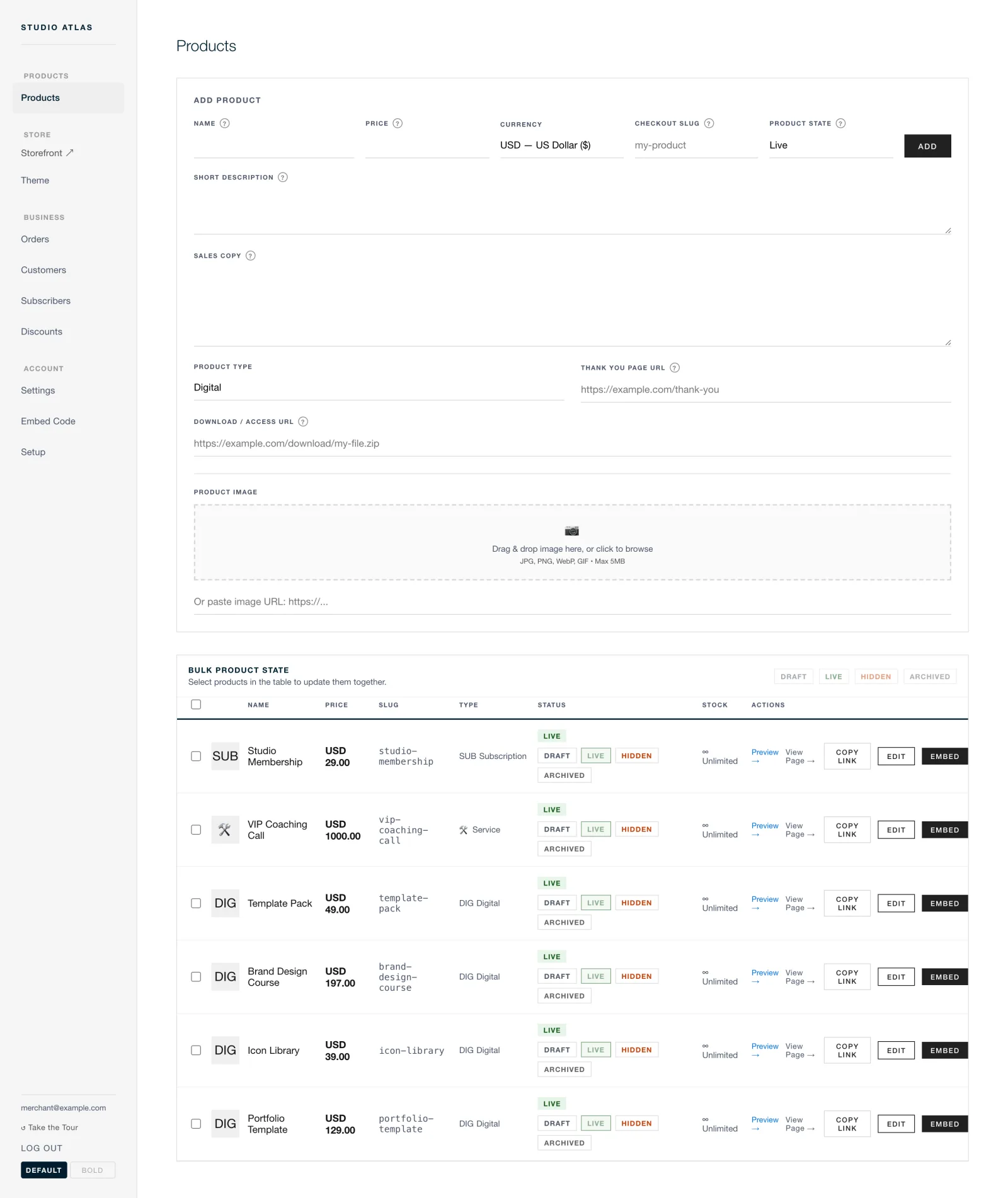
Add a product. Send the link.
Nothing is generated for you and no wizard runs. You add a product the way you would write it on a card, and the checkout exists from that moment.
Add a product
A name, a price and a description. That is the whole form.
Set it live
A product is draft, live, hidden or archived. Only the live ones are listed.
Send the link
The storefront on your own subdomain carries the collections and the cart. An embed snippet puts the checkout in a page you already have.
Buy it yourself
Pay with your provider's test credentials and watch the order arrive. Then swap the test keys for live ones and redeploy.
Do the test order properly, with a real look at the buyer's page on a phone as well as a desktop. It is the last cheap moment to find out something is off.
What you are signing up for
You are the operator now.
The setup buys you a shop nobody can close, take a cut of, or reprice. It also hands you a set of duties that a monthly fee used to cover. Both halves are real, and the second half is the one that gets left out of the pitch.
| Uptime | Yours. When the checkout is down at two in the morning, you are the one who notices and the one who fixes it. |
| Upgrades | A git pull you choose to run, on a day you choose. Nothing changes underneath you, and nothing improves underneath you either. |
| Backups | Yours. That database holds your orders and your customer list. Copy it on a schedule you set, and prove at least once that the copy restores. |
| Secrets | Yours, including the encryption key. Nobody can reissue it for you, because nobody else has ever seen it. |
| Support | There is no desk. Issues on the repository and hello@charmingseal.com both get read. Nothing is promised and no one is on call. |
That is the whole trade, stated plainly. You keep the fees, the data and the control, and in exchange you keep the pager. If reading that list makes a monthly fee look reasonable, a monthly fee is reasonable. Buying a hosted product is a sound decision and we will not talk you out of it.
Next
Then stop clicking. Have it run itself.
Everything you did in the admin can be done over the REST API, or handed to an agent through the MCP server. Products, prices, orders and settings, on the same instance you set up above.